Using appsmith to view/publish a release
Web Onboarding changes are made on airtable (Web Onboarding base) then the changes can be published using appsmith.
[!IMPORTANT] To test and preview onboardings before adding them to Aritable, you can check this link:
[How to Test and Validate onboarding JSON files](How to Test and Validate onboarding JSON files)
The onboarding table has only 2 columns:
- name (the path for the onboarding ex: time-initial).
- json (the json file that describe the onboarding, [[read more]]).
Simply you can change the json value to whatever you want according to the [Onboarding Templates](Onboarding Templates) and then save it to Airetable.
[!NOTE] Airtable saves the onboardings based on if they are
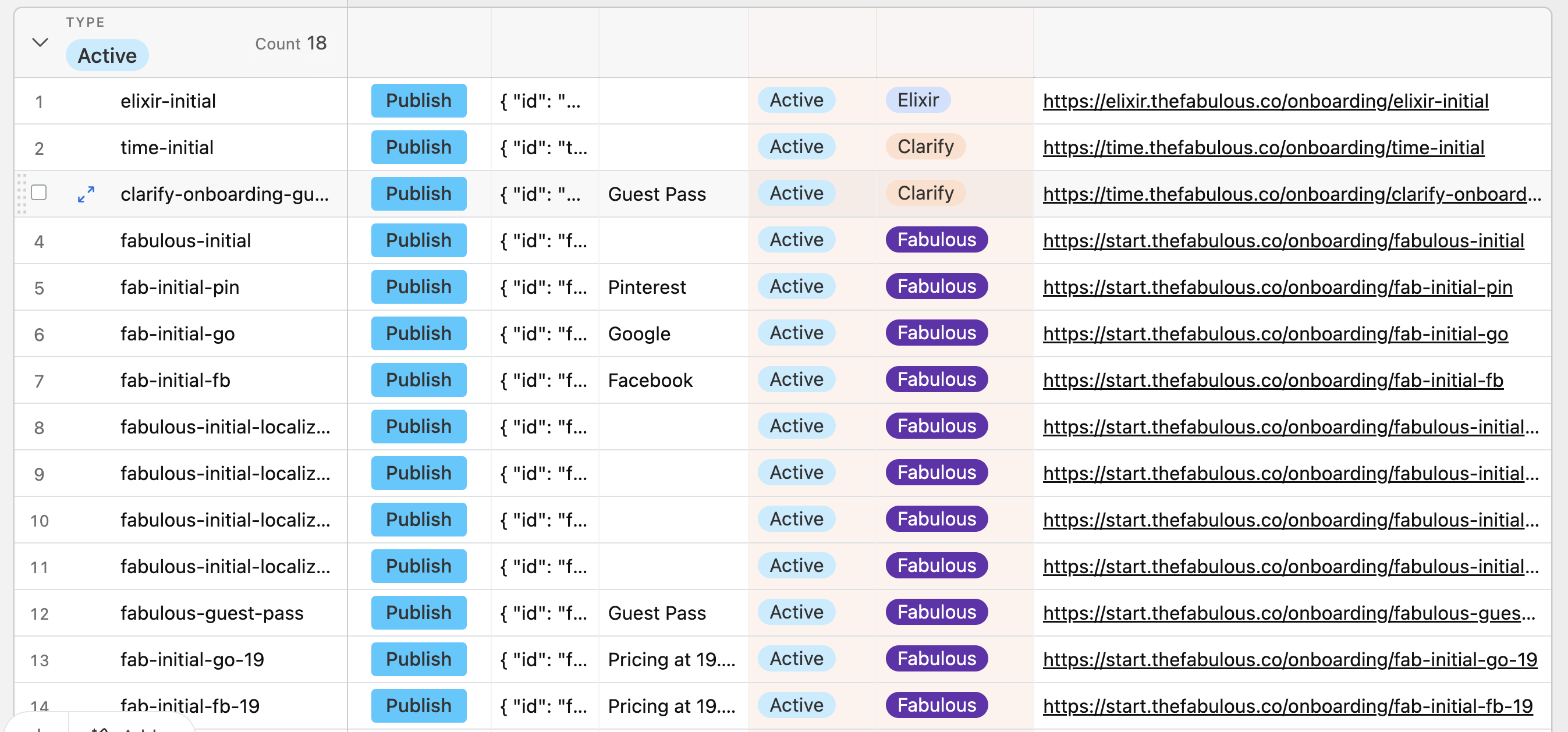
Active(the control variant) orExperiment(it’s run against the control variant).Some onboarding fields on Aritable are:
- Name - a unique name of the onbaording (this will be the slug of the onboarding link).
- Publish - it redirects you to Appsmith to publish the most recent variants of the onboardings.
- JSON - the body of the onboarding.
- Type - Active, Experiment, Ended Experiment, and In development (read the note below to know more about those types)
- App
- Link - The link of the onbaording in production. (replace
thefabulouswith thethefabulous-stagingto check the onboarding in staging).Please make sure to update all the fields related to the onboarding you’d like to publish.
More on The Type of Experiments
Currently, we have 4 types of experiments as mentioned above:
Active=> The control/default variant for each app.Experiment=> The onboardings used in any running experiments against the Active onboarding.Ended Experiment=> Once an experiment is done, it’ll be marked asEnded Experiment.In development=> The onboardings are added by the dev team and are still in progress.
Managing the onboarding releases from appsmith
An appsmith app (Onboarding release) is used to view the latest onboarding release that has been published and also is used to publish new releases.
Publishing new release:
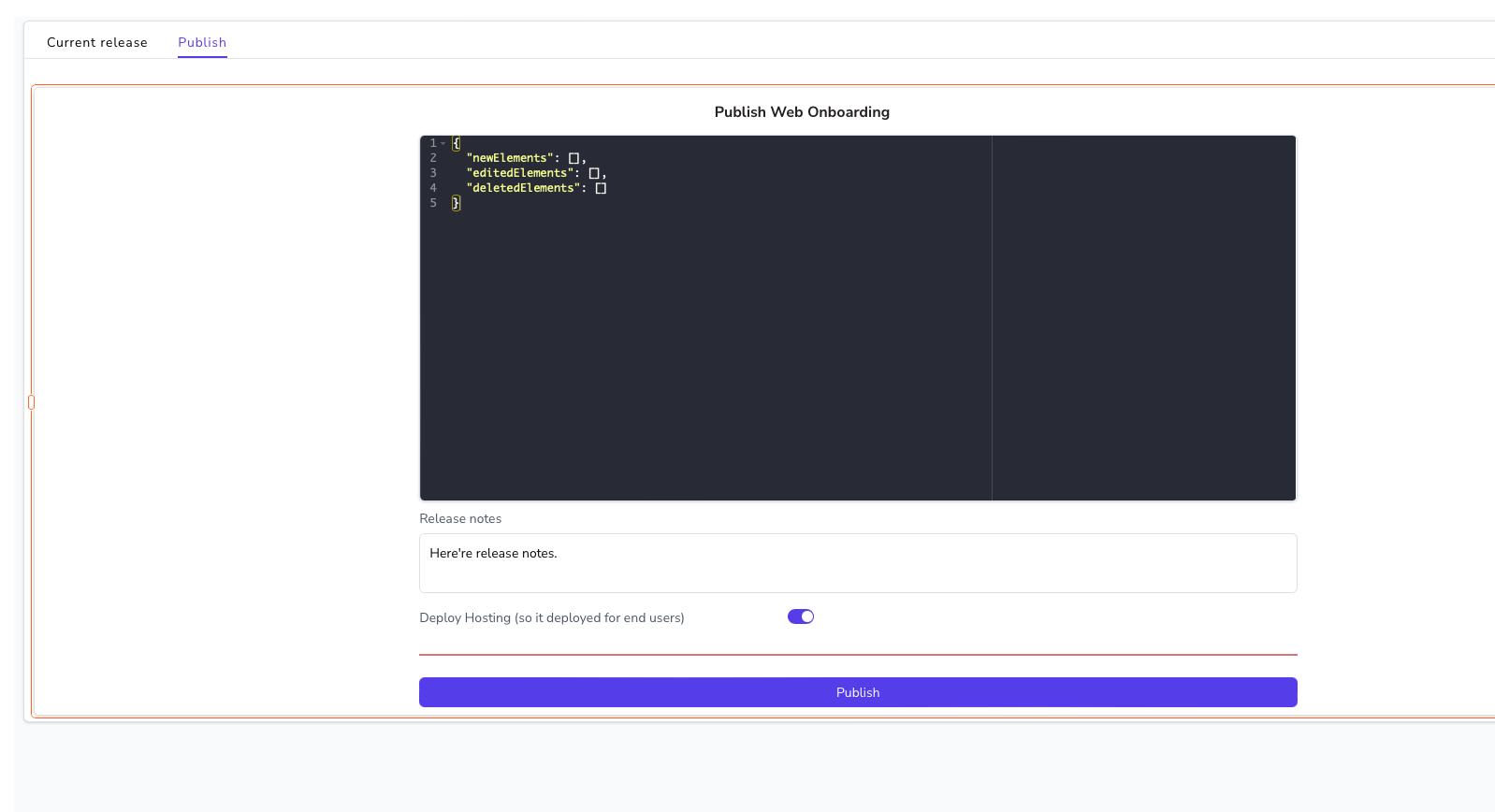
- Go to the
Publishtab. - Write down the release notes.
- Click on
Publishbutton. - This starts deployment process which takes around 5 minutes. You can see the status of deployment on Slack channel #backend-prod-deployments.
[!WARNING] If you are facing validation errors with any of the onboardings that are added by the dev team and are not live yet*,* you can change the type of onboarding to
In development. This will skip it when releasing or publishing your new onboarding.
Viewing the latest releases:
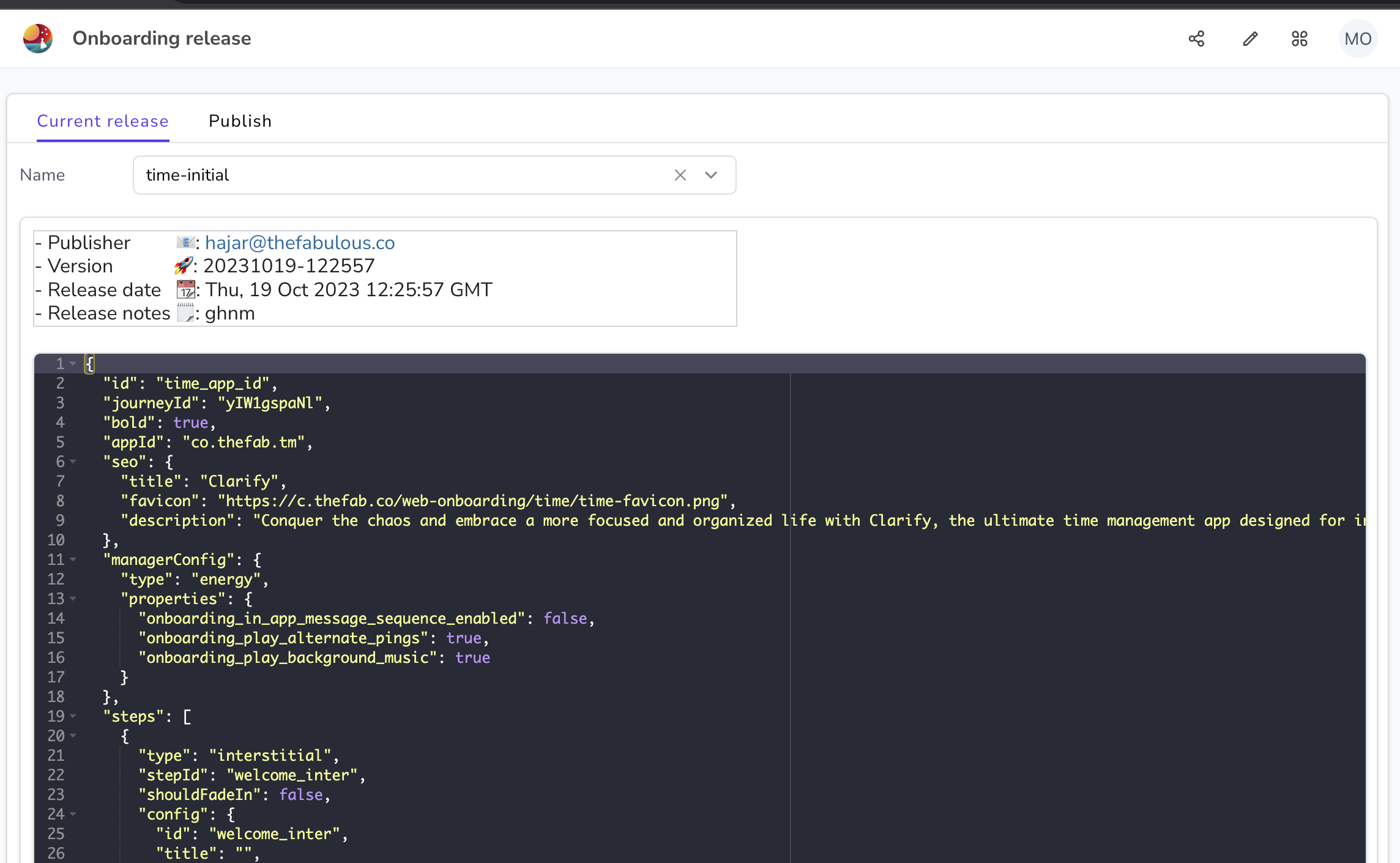
- Click on the
Current releasetab. - Choose the desired name from the dropdown.
- You can copy the current json file.
[!NOTE]
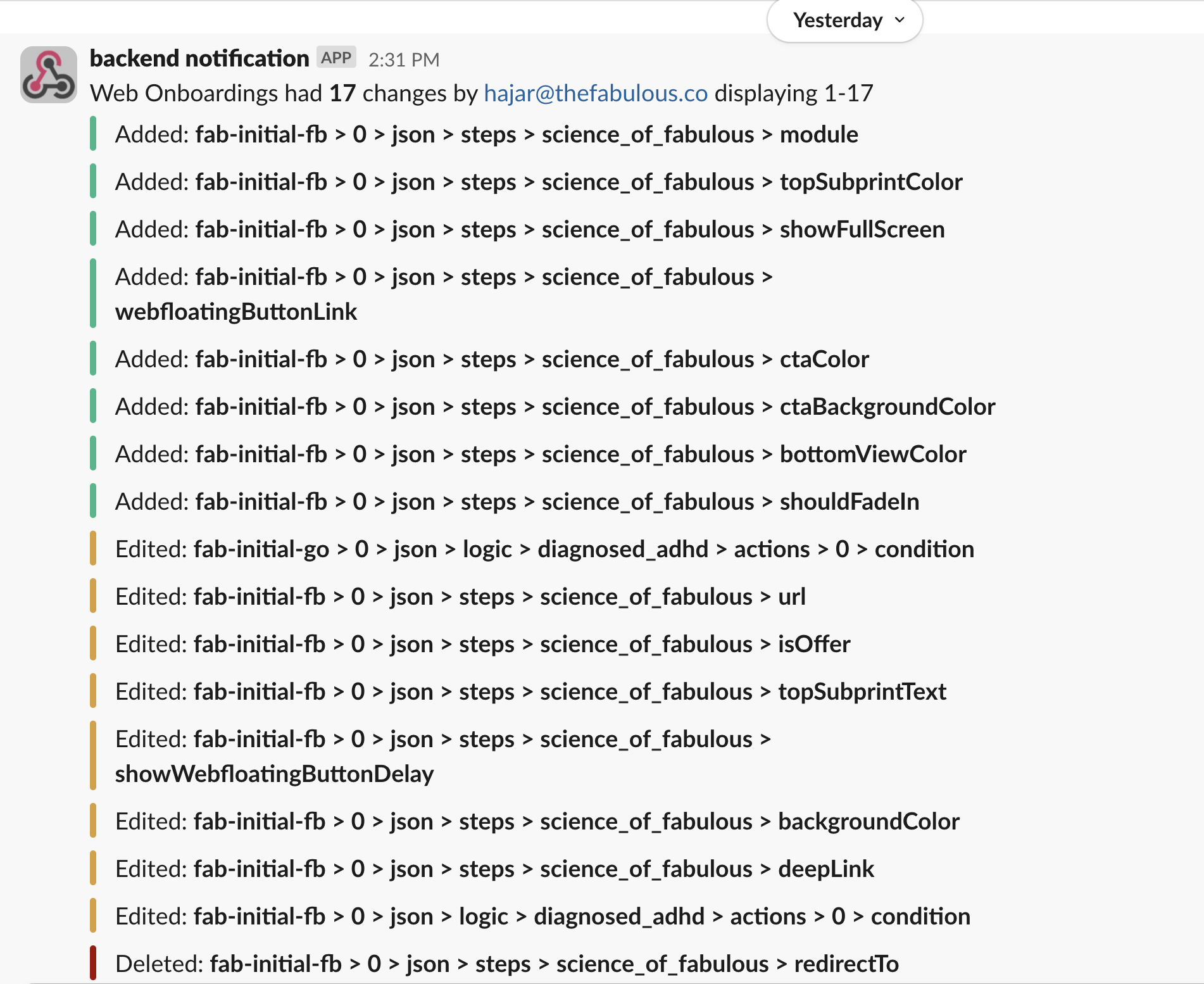
- On releasing onboarding, a Slack notification is sent to #web-onboarding-prod to show the changes that’s been done
- Releasing or Publishing onboarding releases and publishes all onboardings added to Airtable so please check the release notes to make sure that all the changes are ready to be published.
Releasing Notes